
Capture
Speak naturally on Android and save the idea instantly.
~2s to save
Now available on Google Play
Record instantly on Android, then search, edit, and organize from your browser.
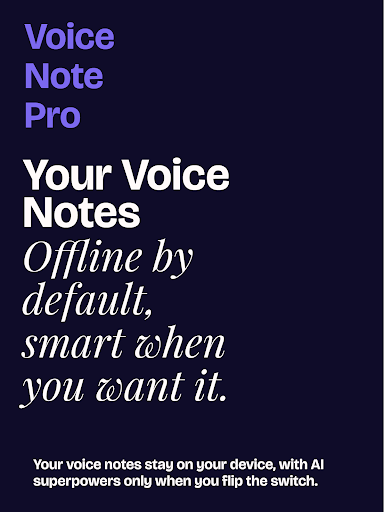
Privacy-first by default, with optional AI and deep organization when you need it.
Turn AI off to keep recording and transcription fully on-device.
Best for: Privacy-first note capture in sensitive contexts.
100% Offline Transcription (AI Off)
OfflineTurn AI off to keep recording and transcription fully on-device.
Best for: Privacy-first note capture in sensitive contexts.
Privacy by Design
OfflineOffline-first architecture with optional cloud intelligence.
Best for: Users who need strong data control.
Smart Voice Recording + 10+ Languages
CoreCapture ideas quickly and convert them to searchable text.
Best for: Multilingual teams and users switching between languages.
Automatic Calendar Entry Detection
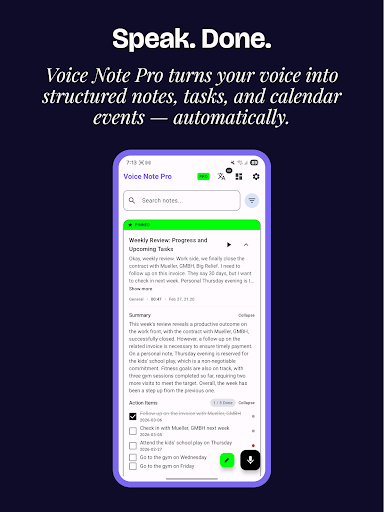
CoreDetects date/time phrases and asks before creating events.
Best for: People who plan directly from voice notes.
Optional AI Features (AI On)
Optional AIEnable AI only when you want extra automation and intelligence.
Best for: Users who want configurable intelligence.
Kanban + Task Management
ProConvert notes to tasks and track follow-ups visually.
Best for: Execution workflows after meetings and brainstorming.
Search, Tags, and Organization
CoreFind and structure everything quickly as your notes grow.
Best for: Heavy users with growing note libraries.
Modern, Clean Interface
CoreAndroid-native design focused on speed and clarity.
Best for: Daily use with fast one-tap capture habits.
Backup + Security
ProProtect data with encryption and account-level controls.
Best for: Users needing resilience and stronger local security.
Up to 3 AI-powered notes per day (15 API calls/day)
Unlimited offline notes
3 folders
Unlimited AI usage
Unlimited folders and tags
Encrypted backups + Google Drive sync
Kanban customization + statistics dashboard
Capture
~2s to save
Sync
Auto-sync
Organize
Fast retrieval
Capture
Speak naturally on Android and save the idea instantly.
Privacy & trust
Voice Note Pro uses Google OAuth and app-scoped Drive access for sync.
Secure OAuth flow
App-scoped file access
iOS updates
Voice Note Pro for iOS is currently in development. Join the updates list to get launch milestones and release news.
Yes. The Android app is where notes are created. The web dashboard is for review and editing.
Voice Note Pro syncs through your Google account and uses app-scoped Drive access.
Use the same Google account on Android and web to access the same notes.
No separate subscription is required for the current core dashboard workflow.
Official app on Google Play. Start on Android, manage on web.